
badmintho 26.3 — drills you can actually run
badmintho has counted your jumps during a drill since 26.2. What it could not do was tell you which drill. You set a timer, you remembered the pattern, and the app wrote down how hard it was afterwards. 26.3 is the other half: the session itself is now something you build, and something the watch runs.
A drill session is blocks, and the watch reads them out
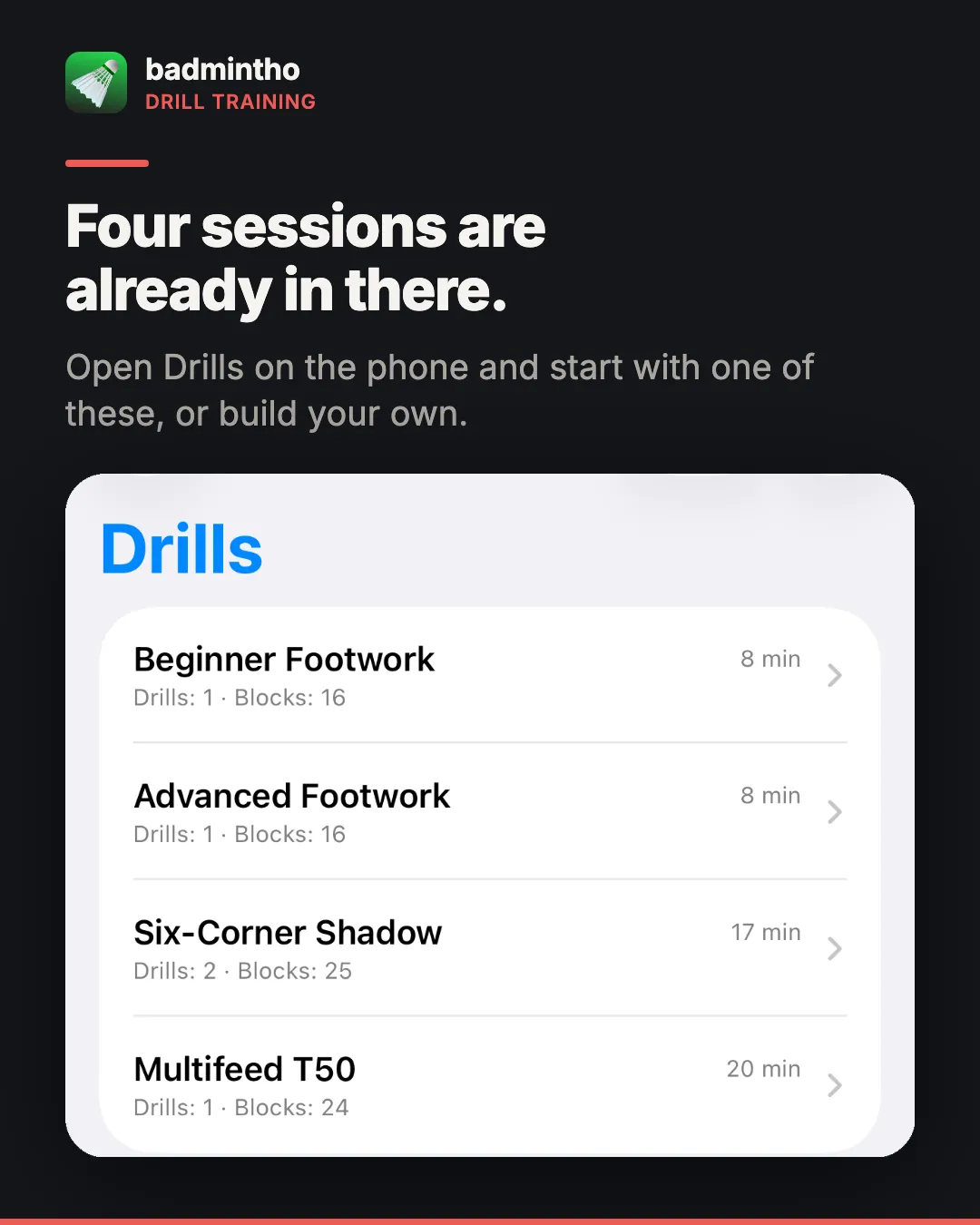
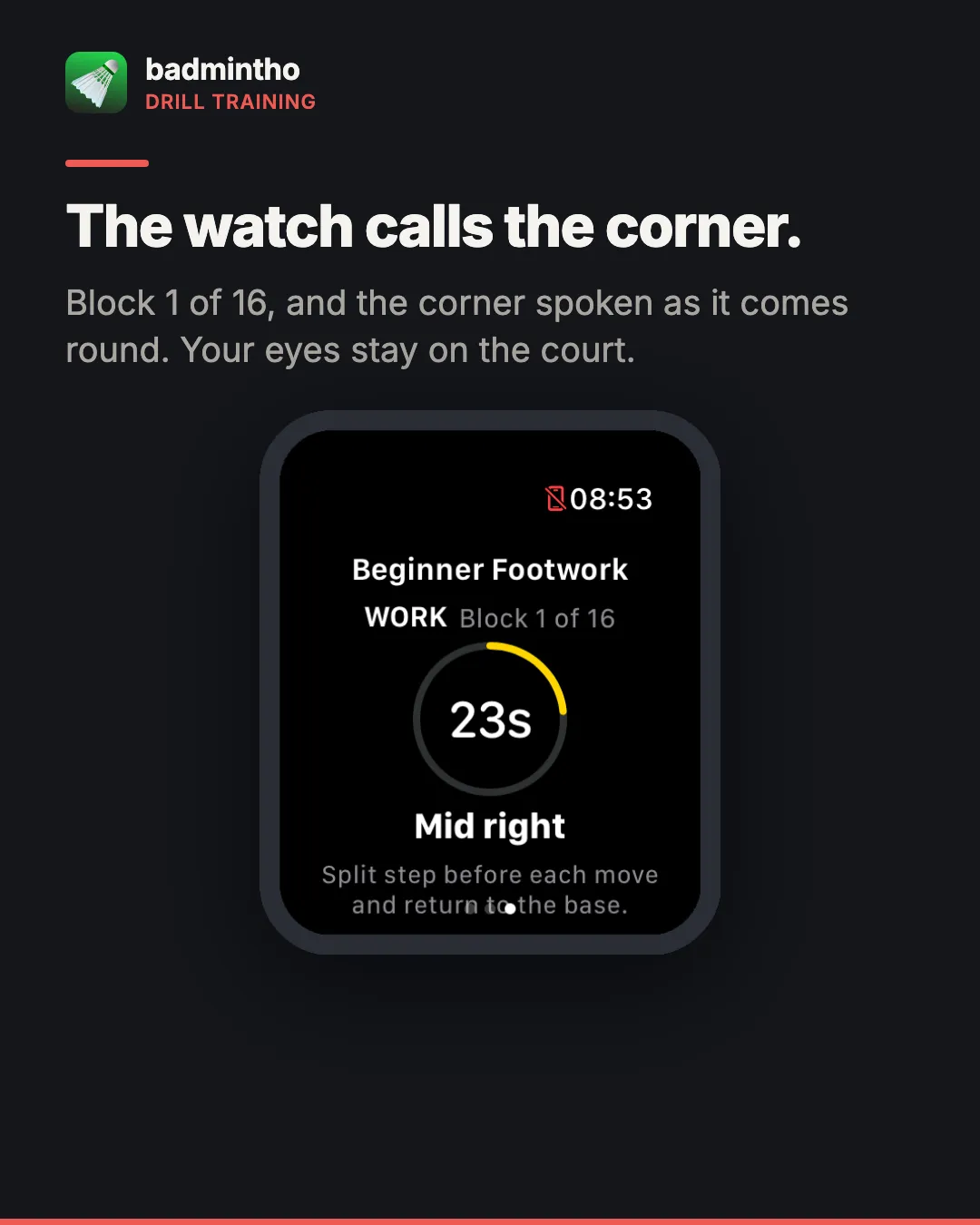
On the phone you build a session out of blocks — a drill, how many repetitions, how long the rest is — and give it a name. It syncs to the watch. On court you start it from your wrist and it walks you through, calling the corner out loud as each repetition comes round.
That last part is the whole reason it exists. A drill where you look at a screen to find out where to move next is not a drill, it is a screen with pauses in it. The cue is spoken over your music rather than instead of it: the audio session ducks what is playing and hands it back when the session ends.
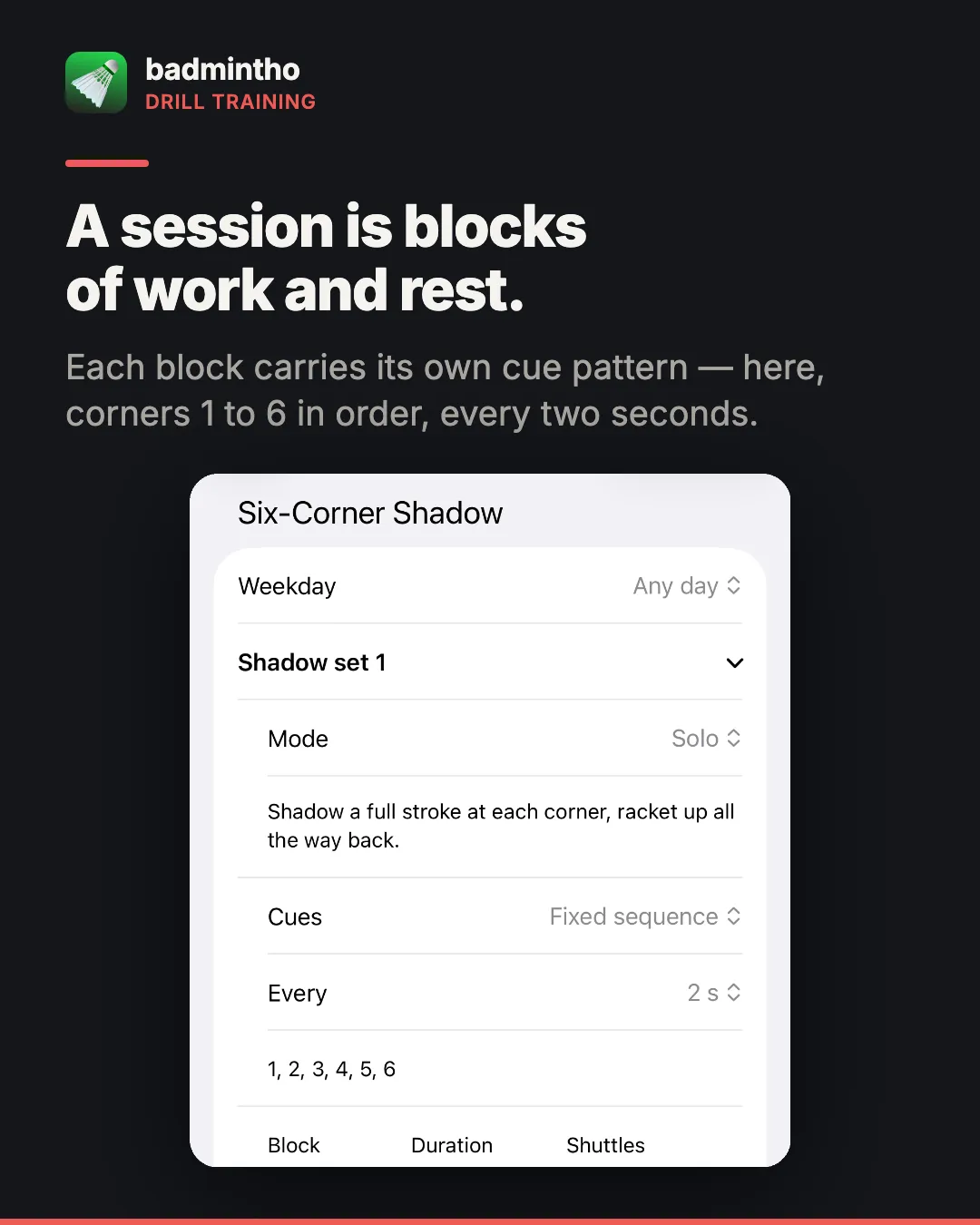
The corner names are the app’s own, resolved in your device’s language, so the voice speaks whatever the rest of the app is speaking.
When the session ends it lands in History beside your matches, with the same jump, heart-rate and effort record any match gets.
A spectator can now say why a rally ended
26.2 put a full-screen scoreboard on a phone at the side of the court. 26.3 gives whoever is holding it three buttons: winner, unforced error, service fault.
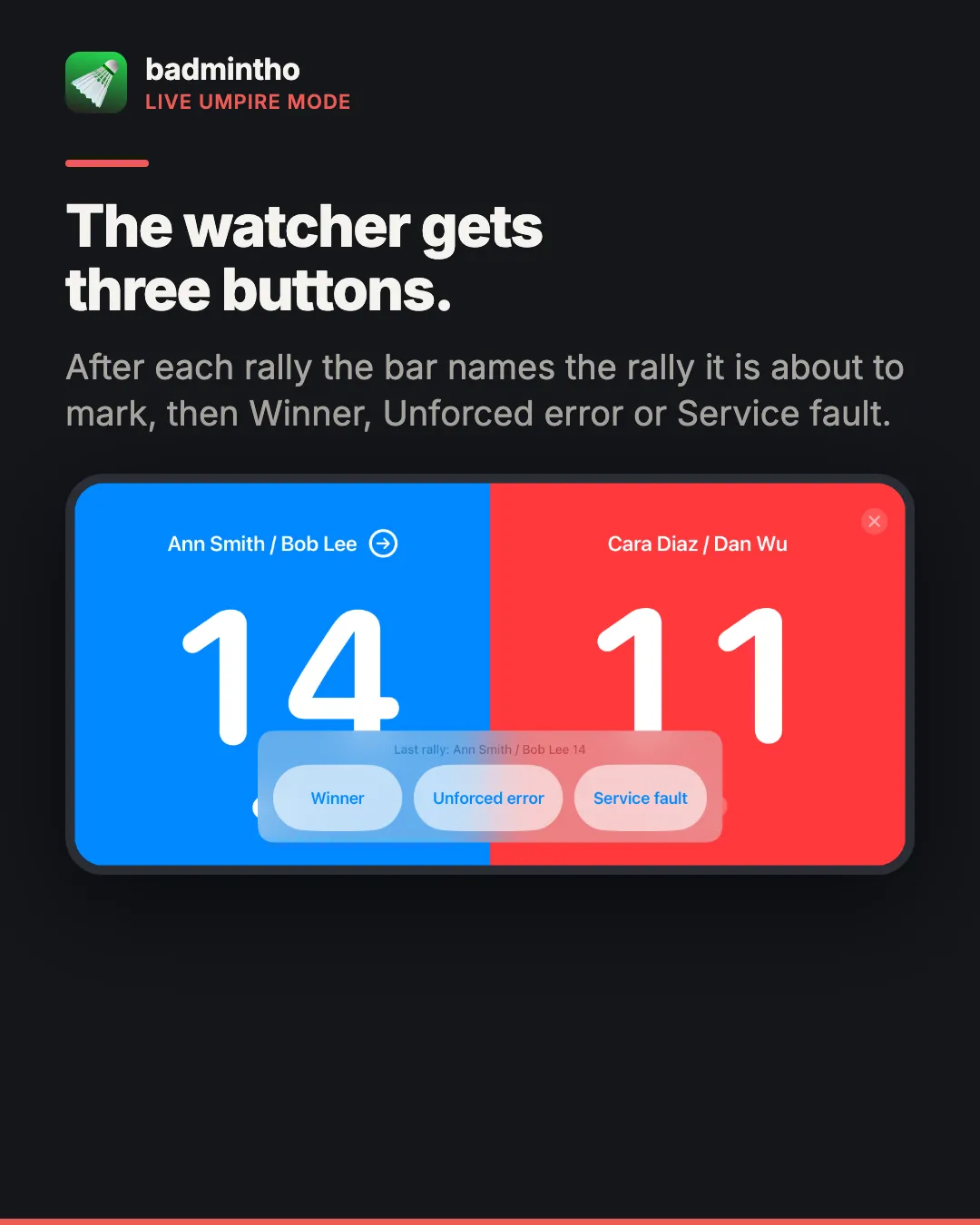
The rule underneath is deliberately narrow: the umpire annotates and never scores. The host keeps sole scoring authority, because a second device that could change the score is the only version of this feature that could corrupt a match rather than merely fail to annotate one. Tap nothing and you have lost nothing.
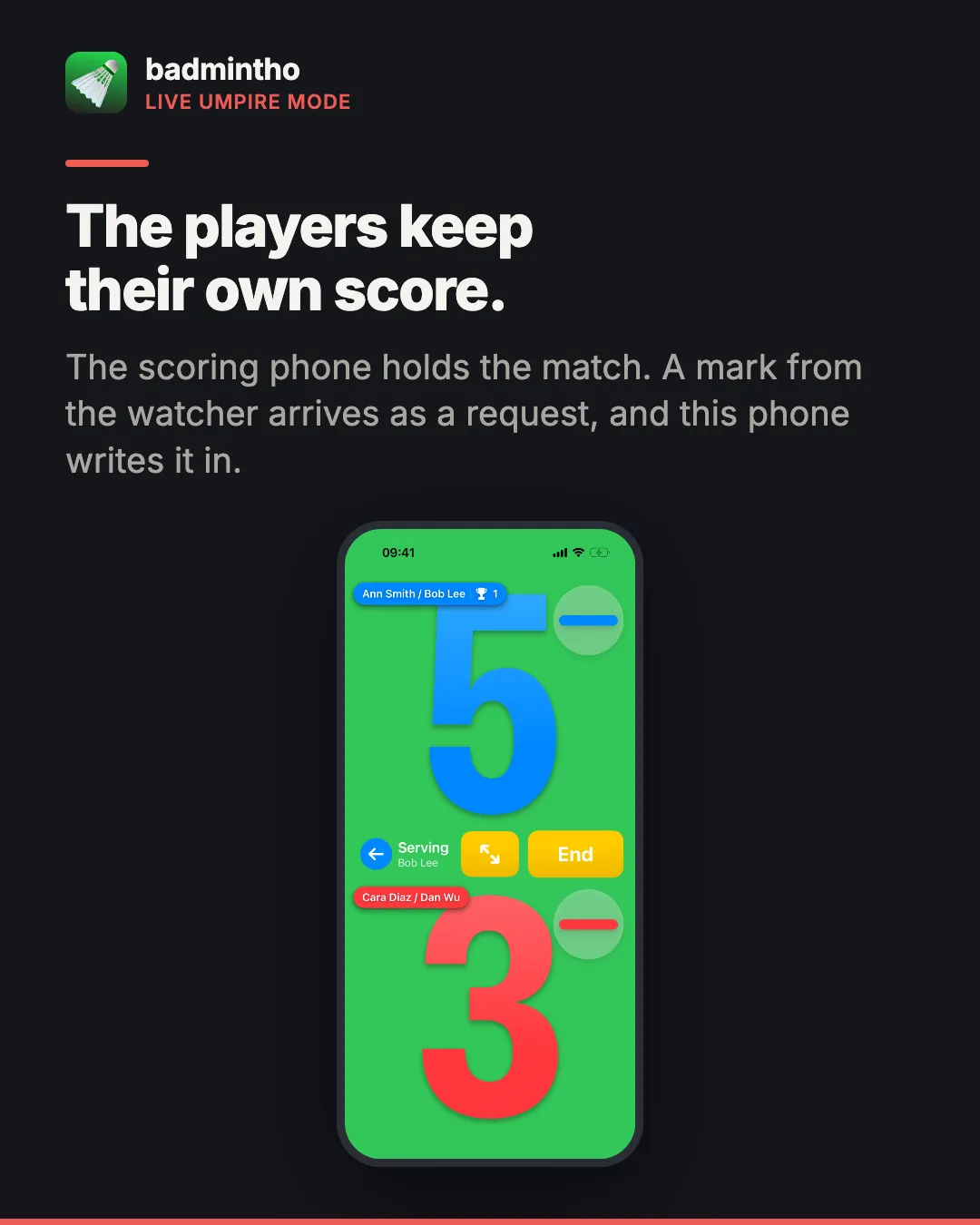
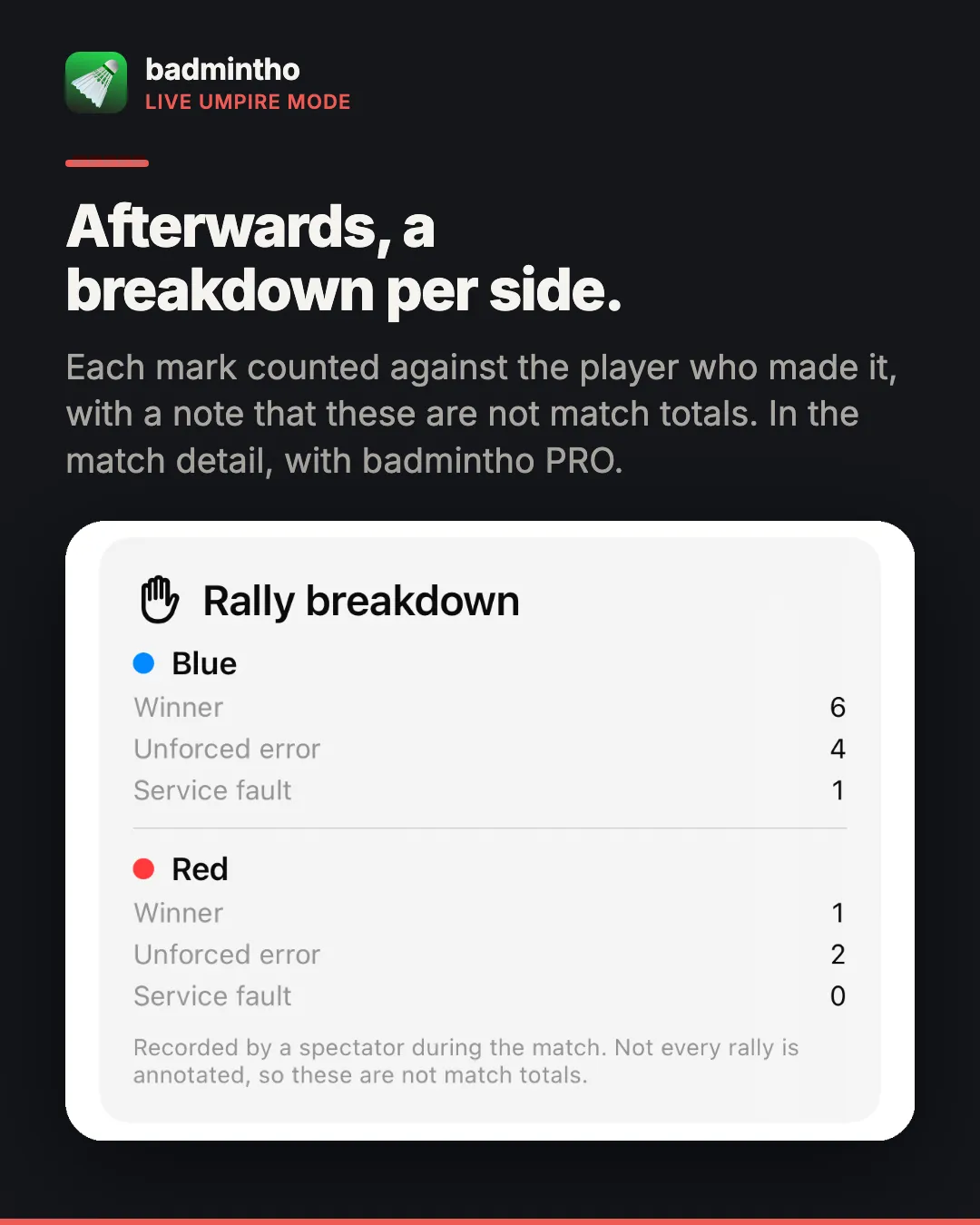
Afterwards the match detail shows the breakdown per side. A service fault is counted as its own kind rather than as an unforced error, so you can see whether a side is giving points away on the serve or during the rally. Marking is free on both phones; the breakdown sits in the match detail, which is part of PRO.
What the watch learned
- Heart-rate zone alerts — a tap when you move between zones, with a manual maximum if you know yours and would rather not have it estimated from your age.
- Drink reminders during a session, at an interval you choose. Off unless you set one.
- The watch can speak the score, and you can choose how scoring feels: three haptic patterns, or none.
- Settings that are the watch’s own — points to win, mirrored court sides, and what the always-on display shows — so the watch is not just a remote for the phone’s preferences.
Elsewhere
The match flow moved from overlays onto real pages, so setup, play and the result each get the whole screen. History now shows sessions recorded outside badmintho next to your own matches, so a workout you started in another app stops looking like it went missing. The Me tab opens with your photo and name. Settings has been reorganised so that every setting has exactly one home — the same setting was previously reachable under two different labels in a couple of places, which is the kind of thing that makes an app feel bigger than it is. And there is a full layout pass for iPad at regular width, plus layouts that hold together at the largest text sizes.
What is free, and one thing we had wrong
Drills are free. Building sessions, running them on the watch, the spoken cues, the reminders, the zone alerts — all free, like scoring and workouts have always been. Pro is still what it was: opening a past match or drill in detail, the full performance stats, and sharing a match card. The rally breakdown a spectator recorded is part of that detail.
One correction, and it is ours rather than the app’s. This site listed cross-device hosting as a Pro feature. It is free, and it always has been — there is no subscription check anywhere on the Bluetooth path, the app’s own paywall says so in its “always free” list, and the FAQ on this very site has said “cross-device play is free” the whole time. The pricing section disagreed with all three. It has been corrected. If you subscribed in order to host a match, write to us.
Where the data goes
Unchanged, and worth repeating. Your matches, drills and workouts are written to your own Apple Health and stay on your devices. Scoring, jump counting, drill sessions and history all work with no network at all, and there is no badmintho account involved in any of it. Community — courts, rankings, bookings, matchmaking — is still compiled out of the released app entirely.
The one thing that leaves the device, only if you ask, is the email address you type into the badmintho Community waiting list.
More
- badmintho scoring rules — how a rally, a game and a match are scored
- badmintho FAQ — Apple Watch, jumps and match history
- badmintho privacy policy — including the waiting list described above
- badmintho support — if something here does not match what you are seeing
badmintho is free, runs on iPhone, Apple Watch and iPad with iOS 18.0 or later, and none of the above is medical advice — it is a record of what you did on a badminton court.